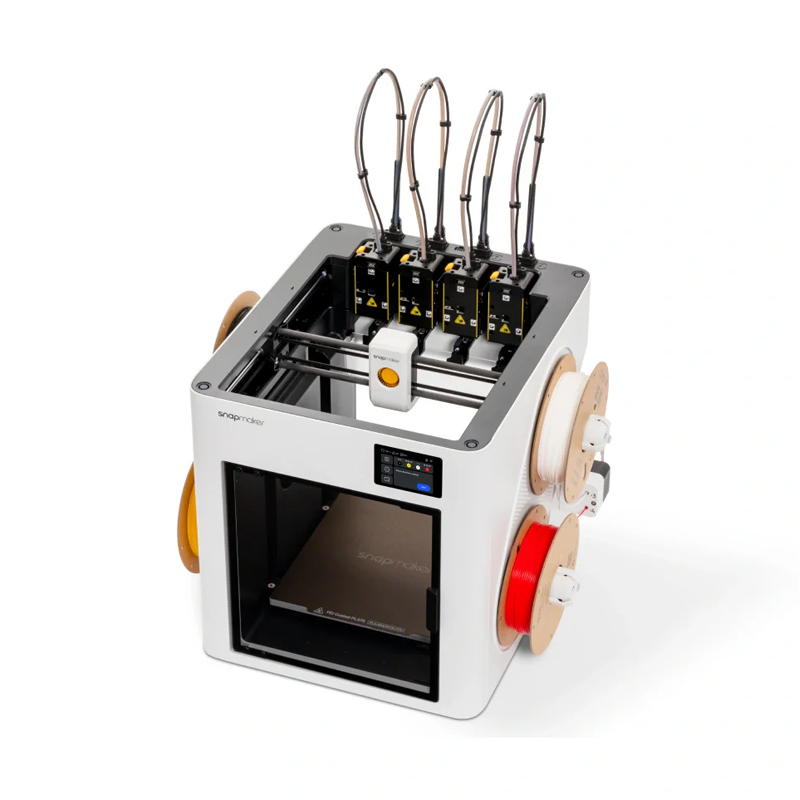
Snapmaker U1
Incl. of all taxes • Free shipping
Snapmaker U1
₹1,06,999
₹1,06,999
Snapmaker U1 — Multi-Colour Tool-Changer 3D Printer
Four Independent Toolheads. Zero Purge. Up to 80% Less Filament Waste.
Most multi-colour 3D Printers handle material changes by flushing out the old filament — wasting several centimetres of perfectly usable material on every single swap. The Snapmaker U1 solves this at the hardware level. With four toolheads running simultaneously, each pre-heated and pre-loaded with its own filament, the U1 physically exchanges one head for another in roughly five seconds. The result is faster colour changes, dramatically less wasted filament, and cleaner multi-material prints — all on a CoreXY frame that reaches 500 mm/s. If you're looking to buy a multi-colour 3D Printer in India that genuinely delivers on its material-efficiency promise, the Snapmaker U1 is in a class of its own.
How the Snapmaker U1 Tool-Changer System Works
The Tool-Changer Advantage: Swap in 5 Seconds, Print All Day
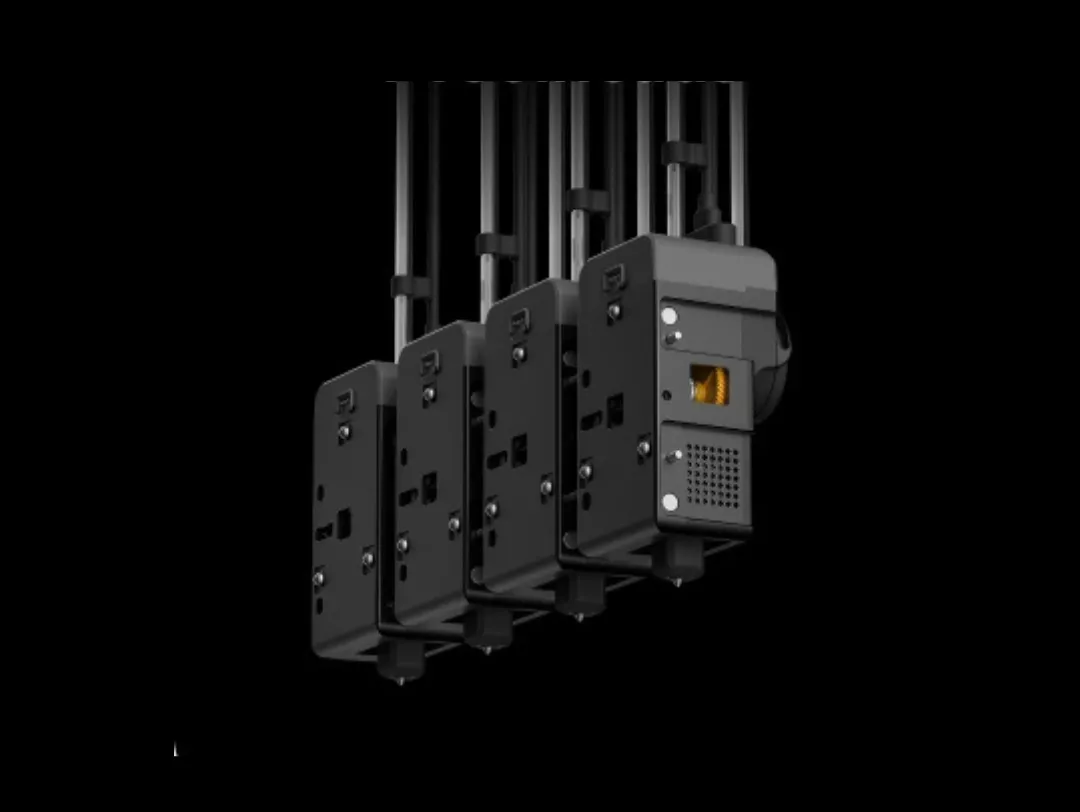
Traditional multi-colour FDM printers route all filaments through one nozzle and rely on purging — pushing new material through until the previous colour is completely expelled. Depending on the colour combination and print settings, that can translate to hundreds of grams of discarded plastic over a complex print. The Snapmaker U1 sidesteps this entirely. Each of its four toolheads is a fully self-contained print unit with its own hotend, heater block, and cooling fan. The printer stores them in a dedicated dock, picks up the right one when needed, and returns it just as quickly. No purge, no waste, no waiting.
Four Self-Contained Print Heads
Every toolhead on the U1 carries its own dedicated heater, thermistor, nozzle, and part-cooling fan. All four stay warm and ready throughout the print session, which means the printer can hand off from one head to another without any pre-heat wait — just a fast mechanical dock-and-undock.
Precision Kinematic Coupling Lock
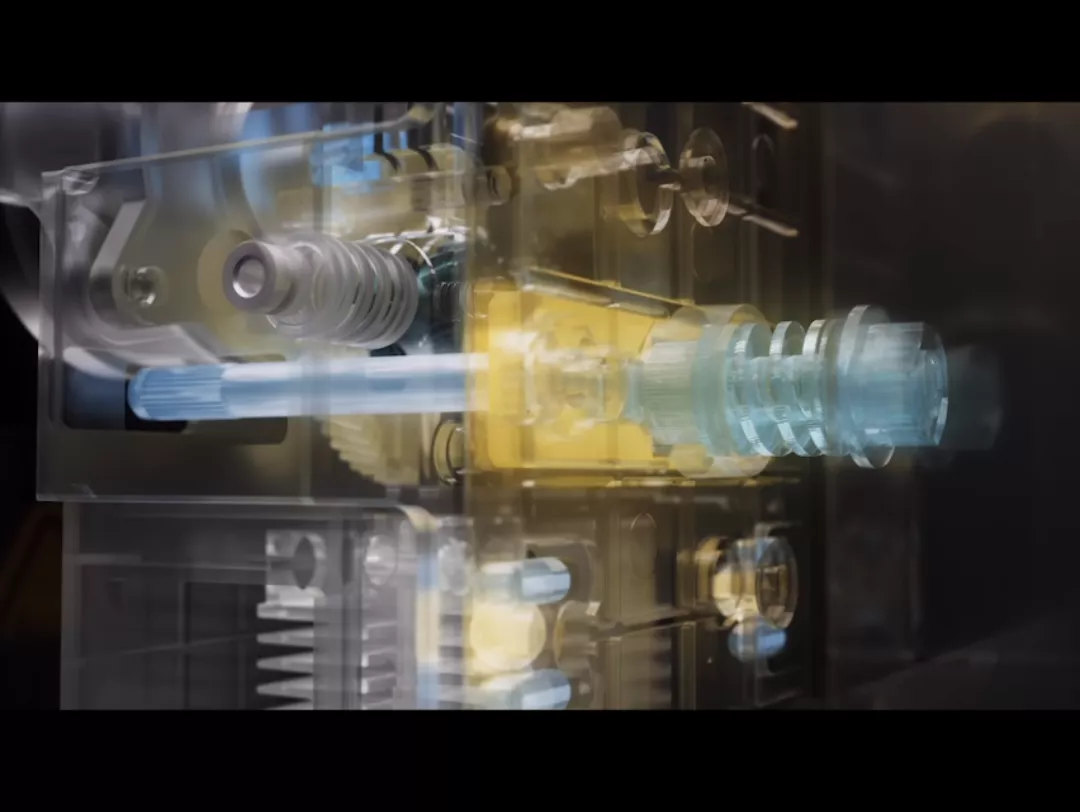
The U1 uses a steel-ball kinematic coupling mechanism to seat each toolhead. The geometry of the mount guarantees the same repeatable alignment every single time — no motors to wear out, no magnets to weaken, no screws to loosen. Snapmaker's own endurance testing recorded over a million swap cycles without a single alignment failure.
Dramatically Less Filament Waste
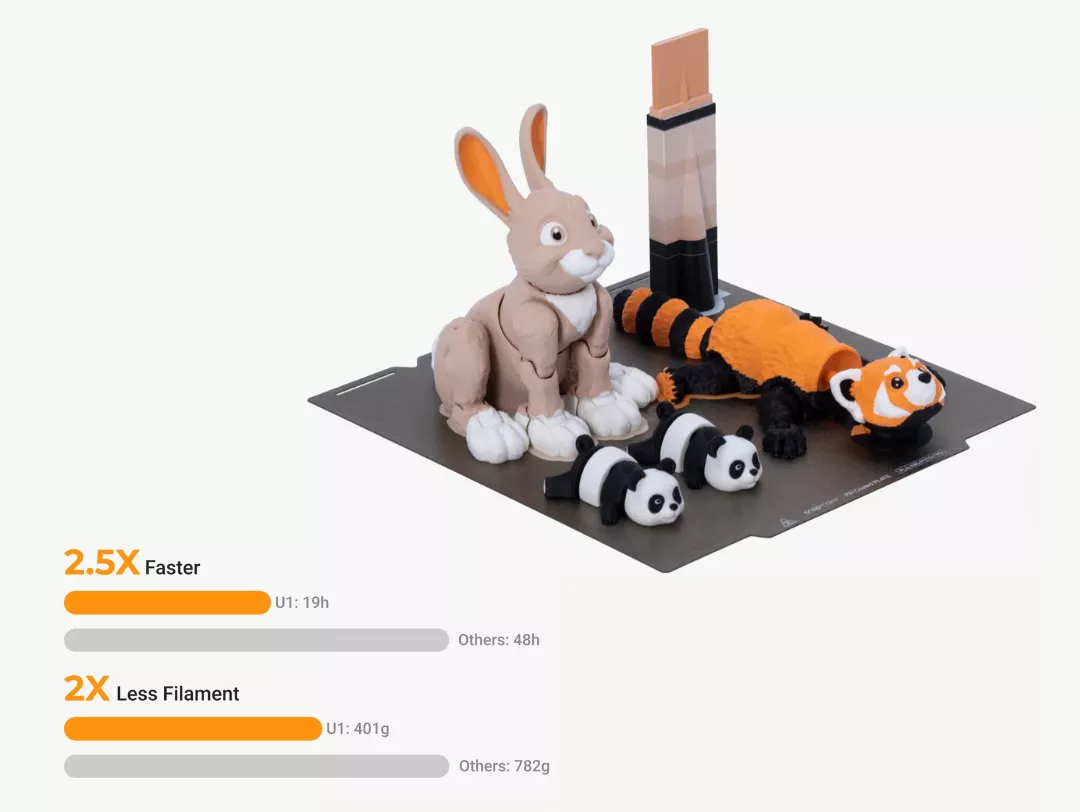
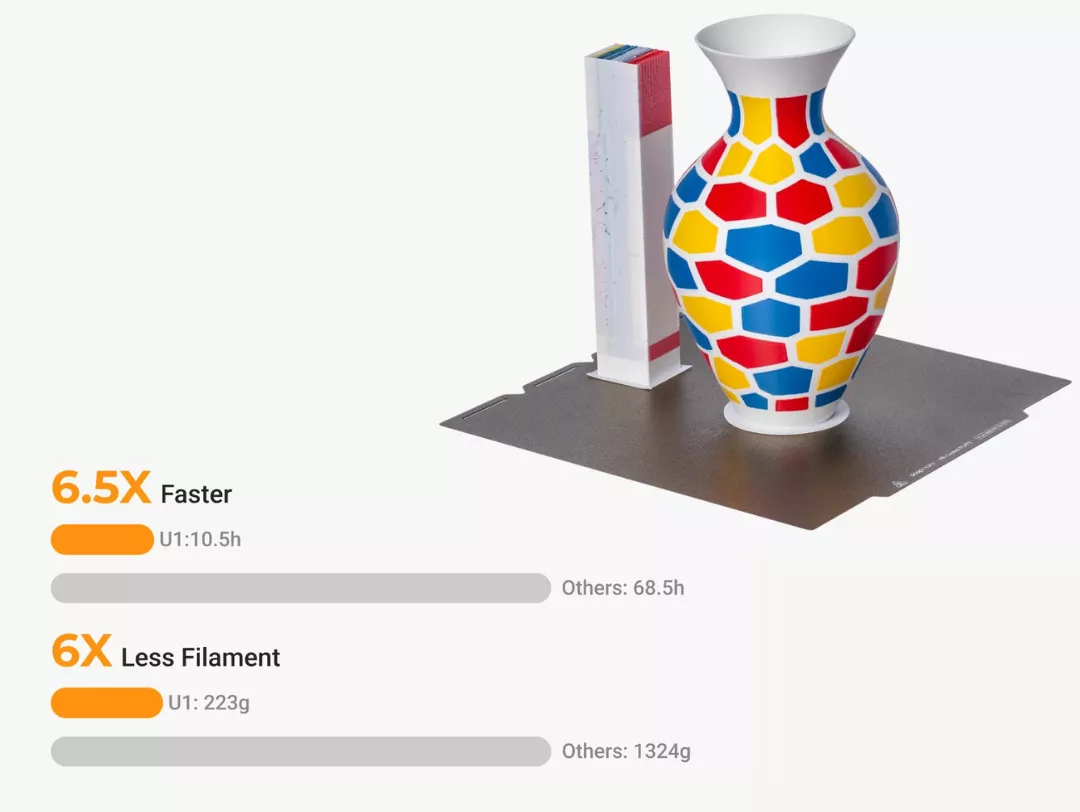
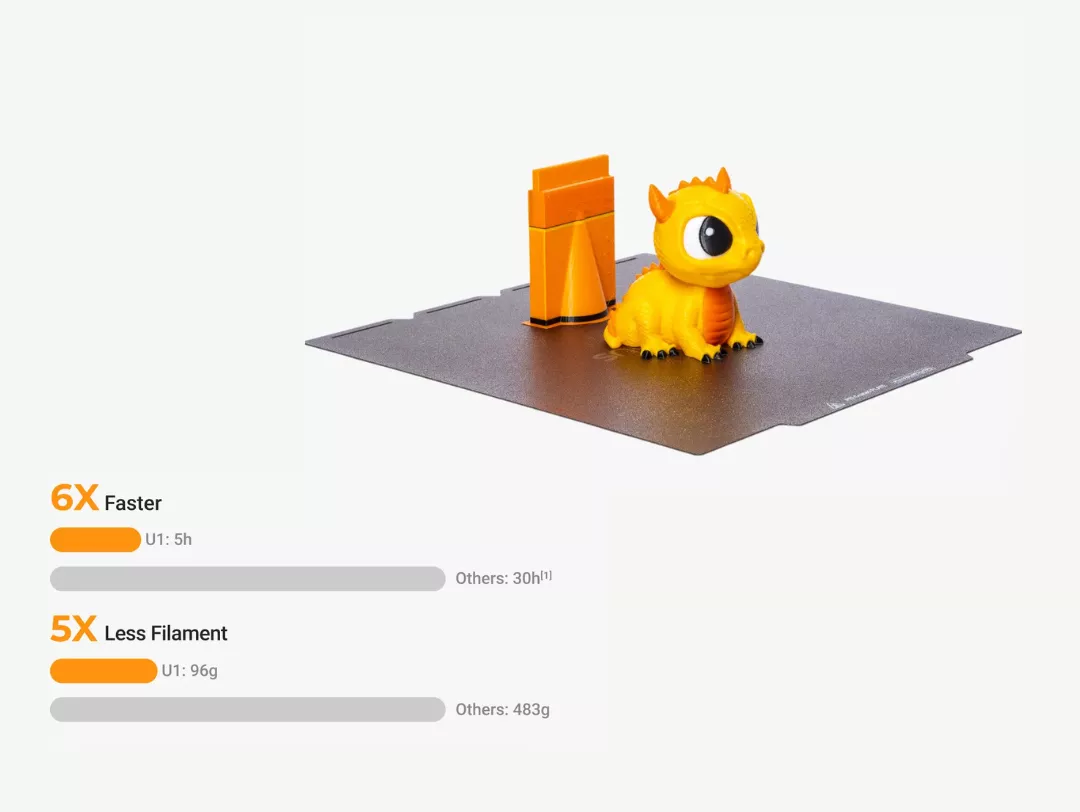
In Snapmaker's comparative tests under equivalent printing conditions, the U1 consumed between 17% and 47% of the filament used by a filament-changer printer for identical multi-colour models. For makers who print regularly, that gap compounds quickly — representing real cost savings on every spool.
Hands-Free Automatic Filament Loading
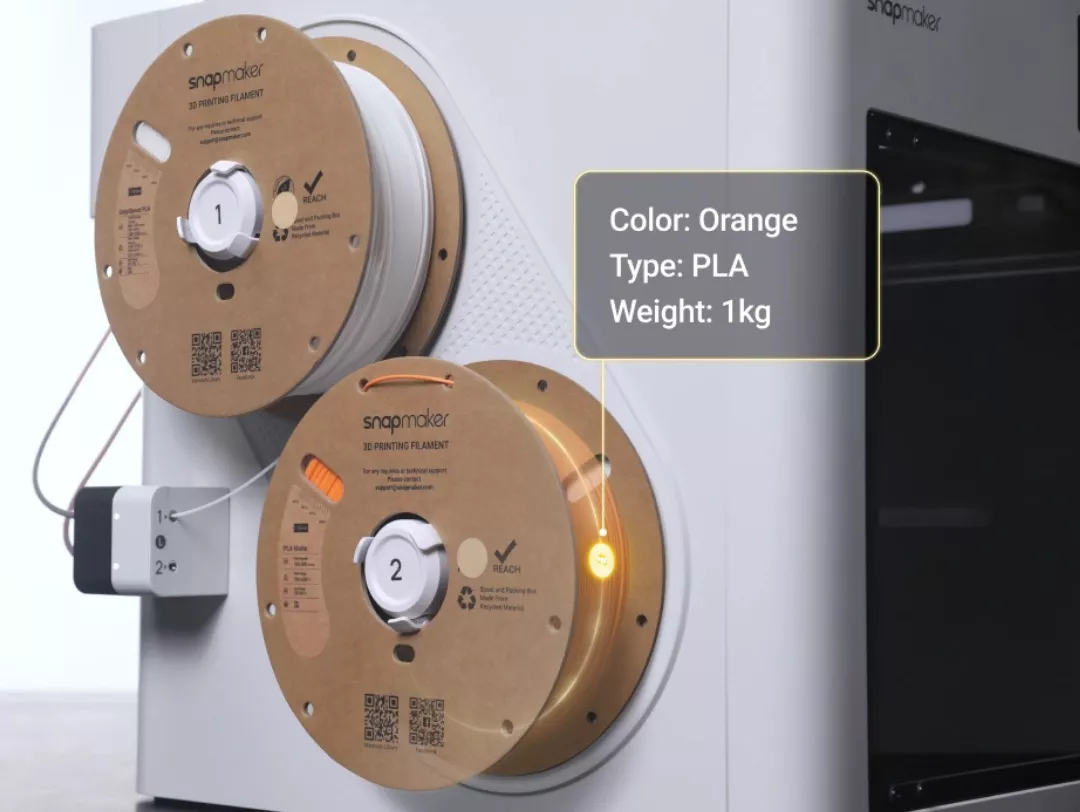
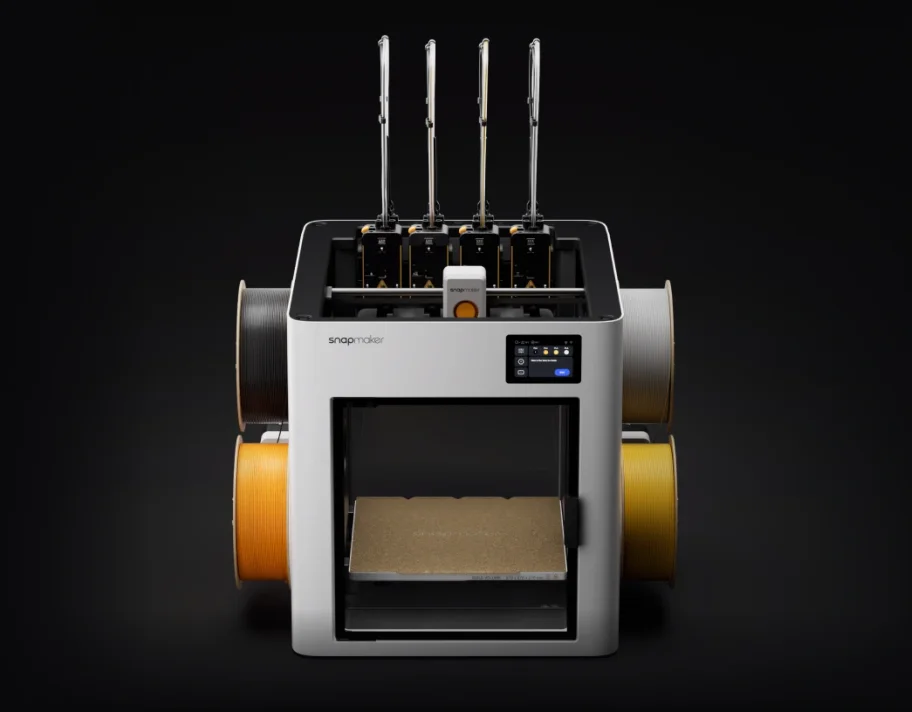
The U1 ships with a compact on-board filament management unit that accepts up to four spools. The RFID reader identifies official Snapmaker filament specs automatically. Backup Mode lets the printer switch to a second spool of the same material mid-print if the first one runs out — no intervention needed.
Automatic XYZ Toolhead Offset Alignment
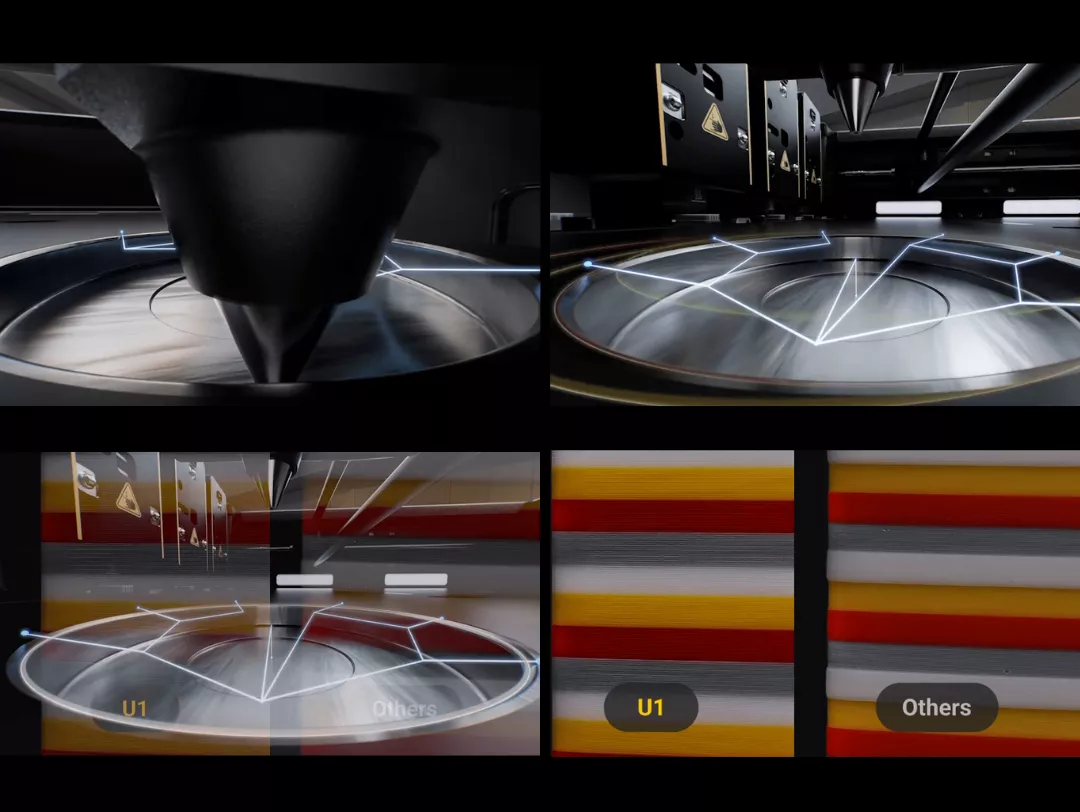
Running four heads on a single carriage demands extremely tight positional alignment between them. Before each print, the U1 runs an automatic coordinate-measuring routine that aligns all XYZ offsets between toolheads to within 0.04 mm — ensuring layer-to-layer colour registration stays sharp without any manual dial-in.
Combine Any Two (or Four) Materials
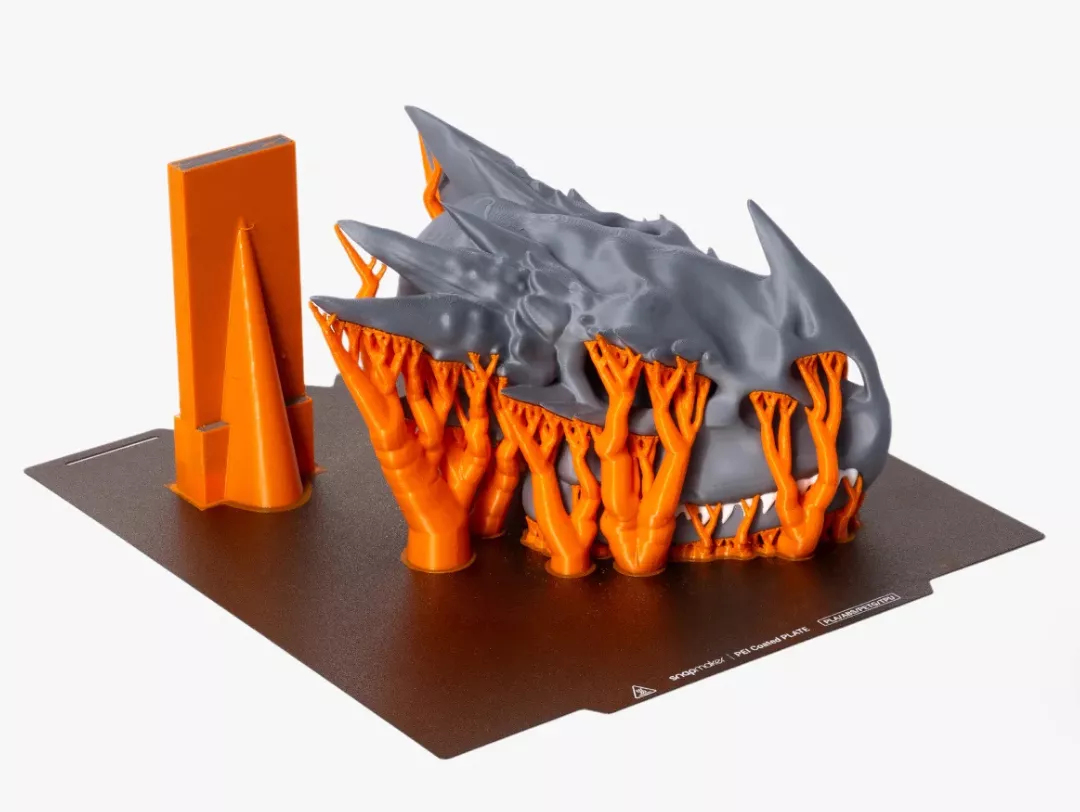
Because every toolhead is independent, the U1 lets you freely pair rigid filaments with flexible ones, or use a water-soluble support material alongside your primary build material. Run PLA bodies with PVA supports, combine PETG structure with TPU grips, or print four different colours of the same material simultaneously — all in a single session.
Key Features of the Snapmaker U1 3D Printer
Choose Your Material Combination for Every Job
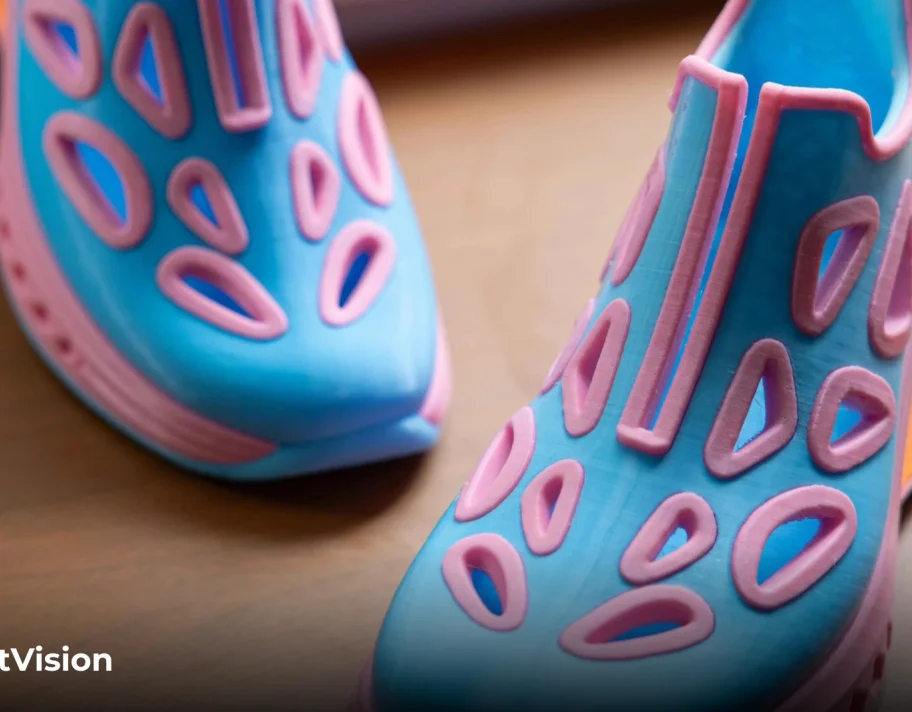
The real value of having four independent extruders is creative freedom at the material level. Engineering-grade supports become trivial when you can dedicate an entire toolhead to breakaway PETG or water-soluble PVA. Multi-durometer prints — think a rigid frame with a built-in flexible grip — go from multi-step gluing jobs to single-session outputs. Makers in India who have relied on manual post-processing to combine materials now have a practical, production-ready alternative.

CoreXY Architecture with Carbon Fibre X-Axis Rails
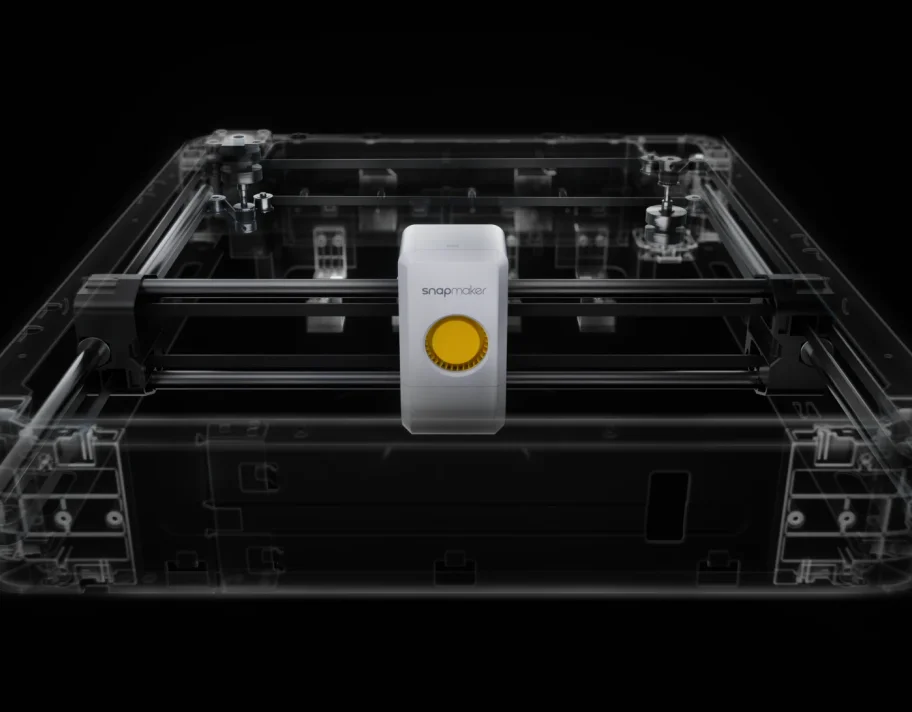
The U1's motion platform is built around a CoreXY layout — a design that keeps the print head lightweight by keeping the motors stationary, which directly enables higher acceleration without resonance artefacts. The X-axis guide rails are made from carbon fibre rather than steel or aluminium, further reducing the moving mass. The outcome is a practical ceiling of 500 mm/s travel speed and 20,000 mm/s² acceleration without the visual defects that would appear on a heavier gantry system doing the same speeds.
Input Shaping — Vibration Cancellation at High Speed
Rapid direction changes at the toolhead create mechanical vibrations that propagate through the frame and show up on print surfaces as ripples, ghosting, and dimensional inaccuracy. The U1 integrates an accelerometer sensor that measures the machine's actual resonant frequencies, then feeds those readings into an Input Shaping algorithm that pre-distorts the motion commands to cancel them out. The practical result is that you can run at high speed without sacrificing surface quality or dimensional consistency.
Pressure Advance — Clean Edges at Variable Speed
As the printhead accelerates through a corner, there is a brief lag between motor movement and actual filament flow — caused by pressure built up in the melt zone. Without compensation, that lag creates bulges at the start of lines and under-extrusion at the end. The U1's Pressure Advance calibration characterises the extruder's response curve and builds a corrective offset into every move, keeping extrusion consistent whether the head is decelerating into a corner or accelerating out of one.
Automatic Mesh Bed Levelling
Even a slightly uneven or bowed print bed causes first-layer problems — thin spots, gaps, or excess squish — all of which can cascade into a failed print. The U1 probes a grid of points across the entire build surface before every job and builds a compensating height map. As the first layer prints, the Z axis adjusts in real time to follow the actual bed contour, delivering uniform adhesion and consistent layer height regardless of minor surface imperfections.
AI Print Monitoring and Failure Alerts
The U1 includes a 2-megapixel chamber camera connected to an onboard AI module. The system watches each layer as it prints and flags spaghetti failures — where detached filament begins curling around the nozzle instead of adhering to the model — as well as workspace obstructions that could interfere with the moving parts. When an anomaly is detected, the printer can pause and send an alert through the Snapmaker App on your phone. The same camera also records optional time-lapse videos of completed builds.
Snapmaker Orca Slicer and Mobile App Control
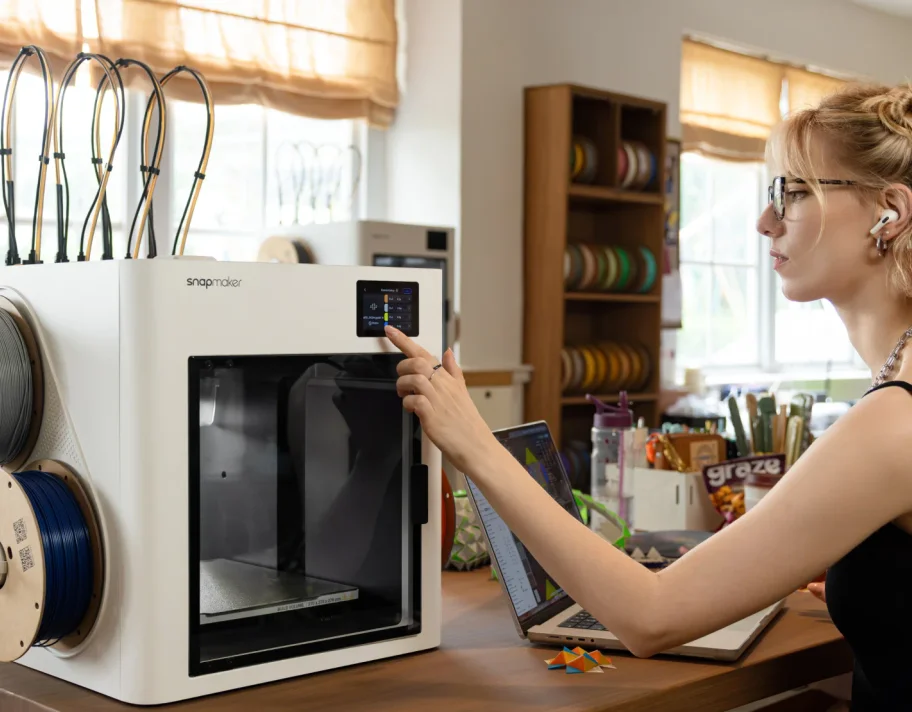
Snapmaker's own slicer, Snapmaker Orca, is built on the Orca Slicer engine and arrives pre-loaded with validated material profiles for every officially supported filament. It runs on Windows, macOS, and Linux. The companion Snapmaker App handles remote print management — you can start a job, check progress, review camera footage, and receive failure notifications from anywhere via Wi-Fi. When you're at the machine, the 3.5-inch colour touchscreen offers a direct, menu-driven interface for the most common tasks.

Klipper Firmware — Community-Trusted, Future-Proof
Under the hood, the U1 runs Klipper — an open-source firmware that offloads motion calculation to a host computer for faster processing and enables highly precise, configurable control over every aspect of the print. Klipper has broad community adoption among advanced makers, which means extensive documentation, active forum support, and third-party tool compatibility are all available from day one. Firmware updates are delivered over-the-air to keep the printer current without manual flashing.
Comprehensive Sensor-Based Failure Prevention
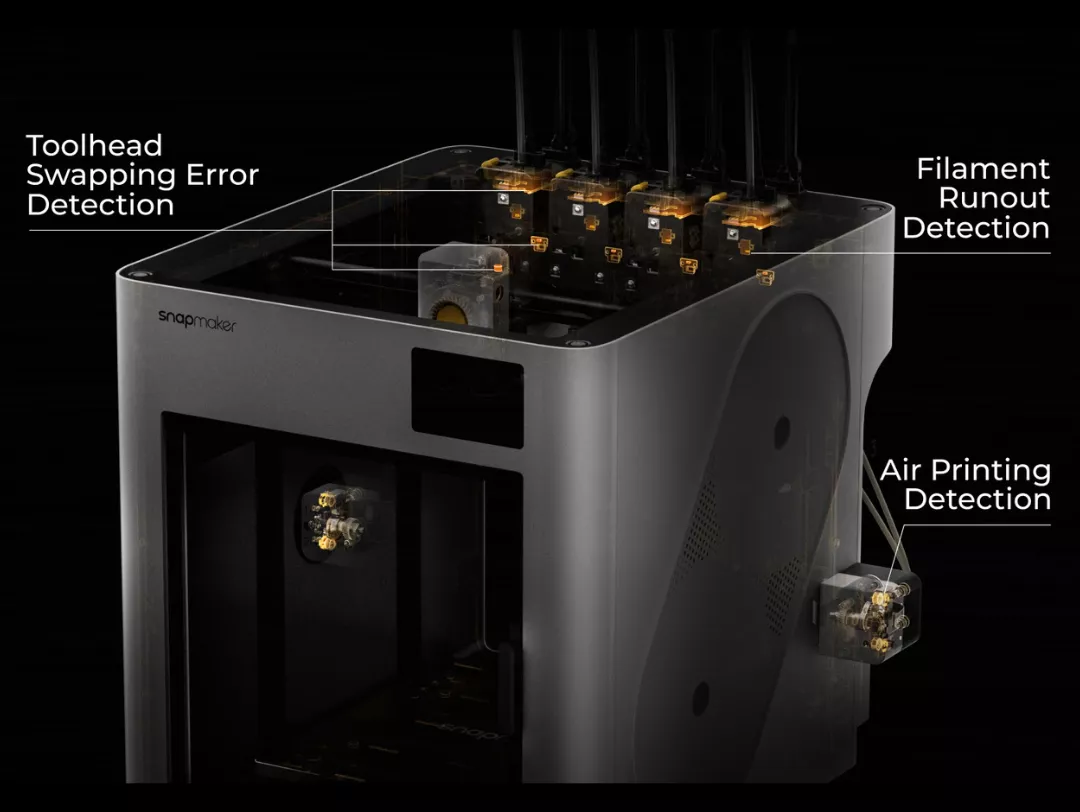
Beyond the AI camera, the U1 embeds a full suite of physical sensors to guard against common failure modes. Filament run-out sensors pause the print when any spool empties; power loss recovery resumes from the last saved position after an outage; toolhead swap error detection confirms every dock before printing continues; and build plate presence and obstruction sensors prevent the carriage from moving into an occupied or missing bed. These features reduce the cost and frustration of failed prints for everyone from first-time buyers to production users.
Who Should Consider the Snapmaker U1?
Technical Specifications
Snapmaker U1
Build Specifications
(X,Y,Z)270x270x270 mm